Python and Excel
Read the introduction to Python and Excel in MicroStation.
Data handling is provided by Python library
pandas.
A pandas DataFrame is used to store data.
The user interface in this example is PyQt5.
Simple Example
The code is available on GitHub: A simple Qt5 python app to display a CSV or Excel in TableWidget. It works unmodified in MicroStation.
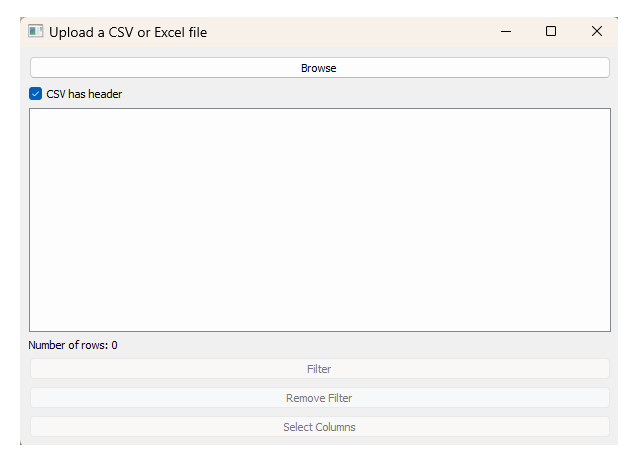
The app lets you open a CSV file or an Excel file. Once open, it displays those data in a QTableWidget.
When you first run the app, a Qt dialog pops …
Click the Browse button to pop a File Open dialog. On choosing a CSV or Excel file, the Qt dialog looks something like this …
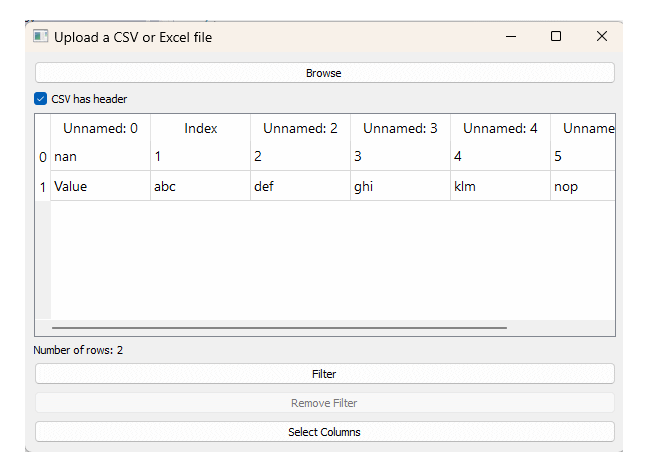
Clearly your dialog will look different, depending on the data file you chose.
Interaction with MicroStation
This simple example does nothing with MicroStation. It doesn't harvest DGN data and it doesn't create DGN elements. It shows CSV or Excel data in a QTableWidget and nothing more. My goal in posting this to to provide assurance to you, a MicroStation Python developer. That assurance shows …
- We can use a
QTableWidgetto display tabular data - We can open a CSV or Excel file and load a pandas DataFrame
Questions
Post questions to the MicroStation Programming Forum.
